 JFNetworker
Features
What JFNetworker can do, one idea per chapter: from the first cable to a system that scales out.
Draw and wire
The canvas is a plan that runs. Drag devices from the palette, connect them, and JFNetworker picks fitting ports and the right cable. Want a particular cable? Choose it first: copper straight or crossover, multimode or single-mode fibre, serial with a chosen end, console, wireless, WAN, phone, coax, DAC or AOC. A cable that cannot fit is refused with the reason; the wrong copper cable works and shows its fault, as it would in a real rack.
- 49 vendor-neutral models: PCs, laptops, phones, IoT devices, switches, routers, firewalls, access points and servers
- Cable categories from Cat5e to Cat8 and OM3 to OS2, waypoints and cable colours
- Notes, slim labels, groups that fold into one symbol, a floor plan as background
- Undo for every step, projects as .jfnet files, autosave with recovery
- Templates on the start page: home network, office with VLANs, campus, data centre with leaf and spine, web service behind a load balancer
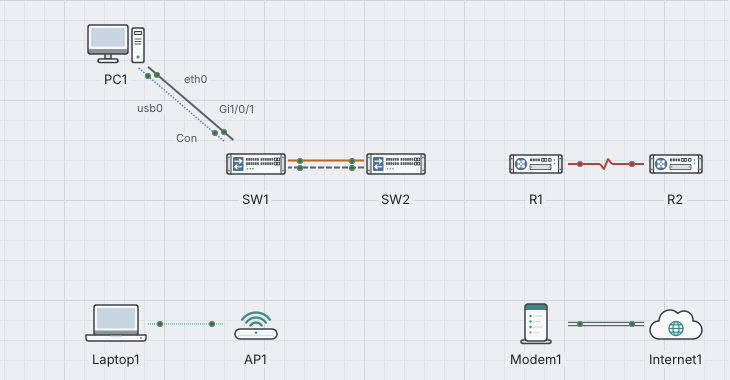
A console on every device
Routers and switches have an IOS-like command line: modes, ? for help, Tab to complete, show commands, and saving the configuration as an undo step. Hosts have a Linux shell with folders, pipes and redirection, the classic tools and jobs in the background.
- On hosts: ip, ping, traceroute, dhclient, curl, nc, ss, dig, grep, find and many more
- Several sessions per device, Telnet and SSH from one device to another
- Logins with passwords, local users or a RADIUS server
- A console opens as a tab, in its own window or in the device window
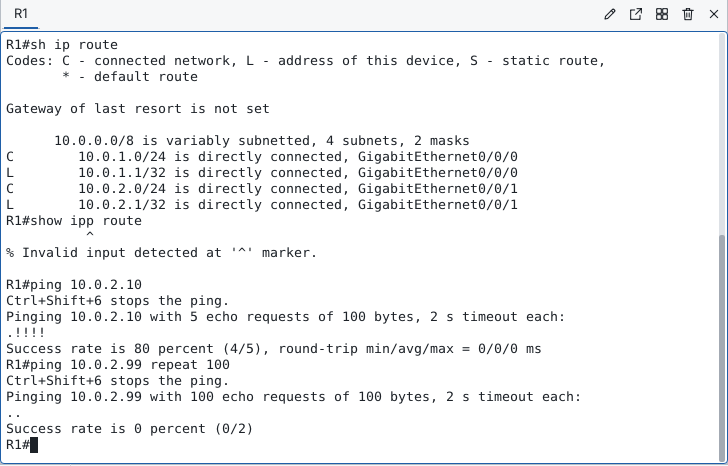
^, and a first ping packet that waits for ARP.Slow it down, step by step
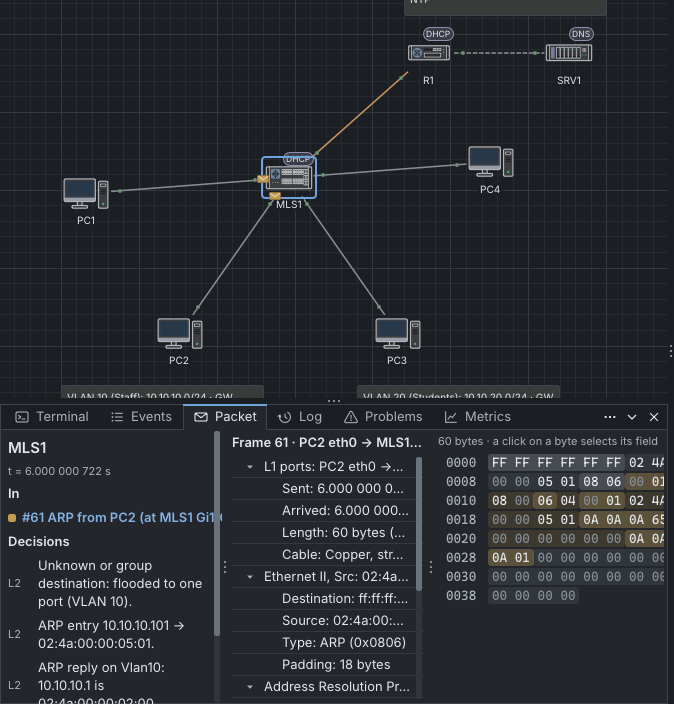
In simulation mode time stands still and moves on one event at a time. Every frame is an envelope on its cable, coloured by protocol. The event list and the timeline show what happened when; the packet tab shows each layer, field and byte, and what the device decided to do with the frame.
Go back to any moment and every device shows its state from then: its LEDs, its tables and the answers of its show commands. From there you can carry on as if it were now.
- Your own PDUs, simple or complex
- Filters by protocol and by the devices you picked
- The recording as a pcapng file
Routing and switching
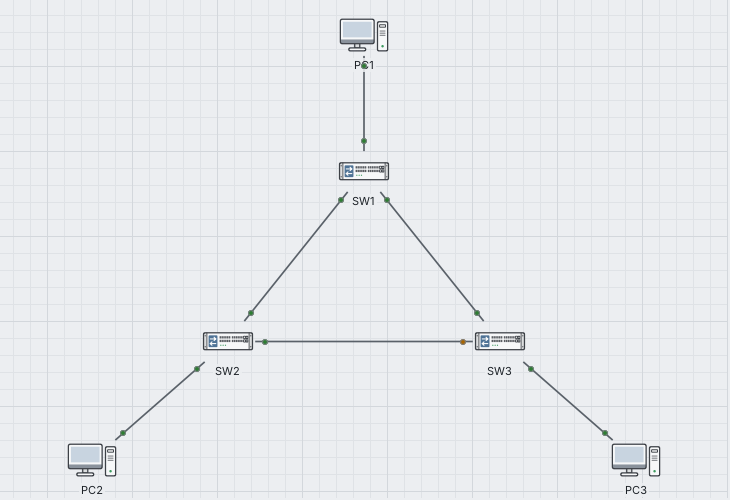
Switches learn addresses, keep VLANs apart and run spanning tree; a blocked port shows an amber LED. Routers and layer-3 switches route with static routes, RIP, OSPF and BGP, translate addresses with NAT and filter with access lists. IPv6 runs beside IPv4 on the same interfaces, with address autoconfiguration and neighbour discovery.
- STP and RSTP, VLANs with trunks, DHCP relay
- Show and debug commands for each protocol
- A problems list that points to duplicate addresses, missing gateways and loops
A firewall you can see
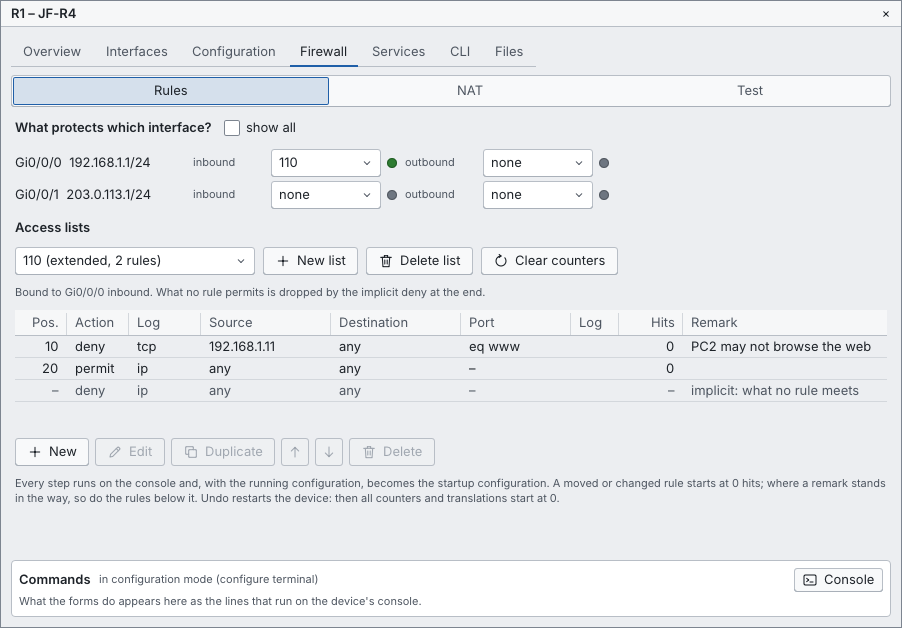
Firewalls, routers and layer-3 switches have a Firewall tab: the rules in a grid with action, protocol, source, destination, port and hit counter, the address translations, and a test that tells which rule matches a packet. The equivalent command lines stand beside it, so clicking teaches the CLI, and a change on the console shows up in the tab.
The firewall models add zones, policies between zones and a session table: replies come back, everything else between zones stays out.
Services and a desktop in every host
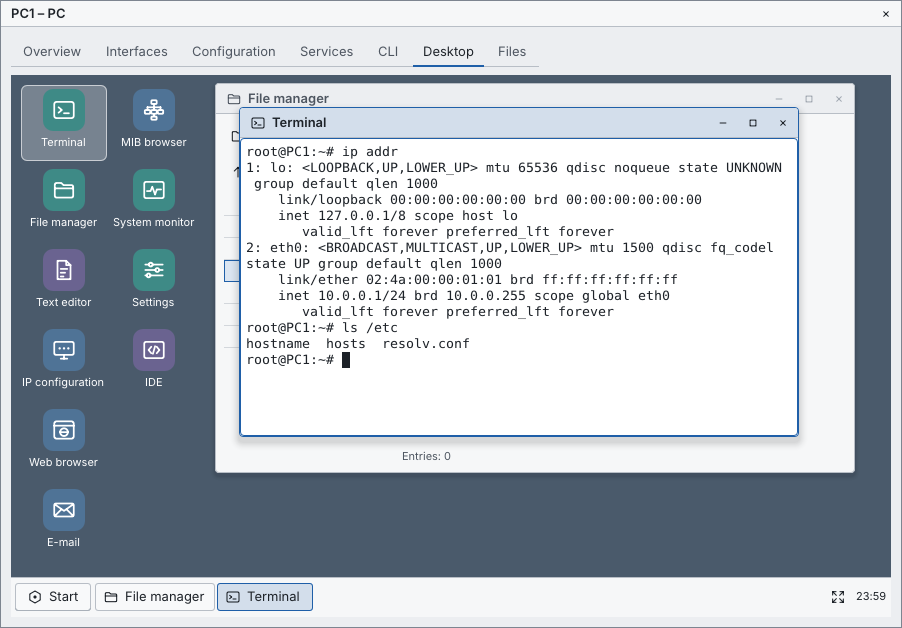
Hosts run real services: DHCP, DNS, web servers with HTTPS over real TLS 1.3, mail with SMTP, POP3 and IMAP, SNMP, FTP and TFTP, RADIUS and SSH. The device window of a host is a small PC with windows, a taskbar and a start menu: a terminal, a file manager, a text editor, a web browser for the pages of the simulated network, an e-mail program, a MIB browser and a system monitor.
Your own programs, written in the scripting language jfs, run as services. The IDE in the desktop has a debugger with breakpoints, and the tests of a file run with one command.
Wireless and the physical view
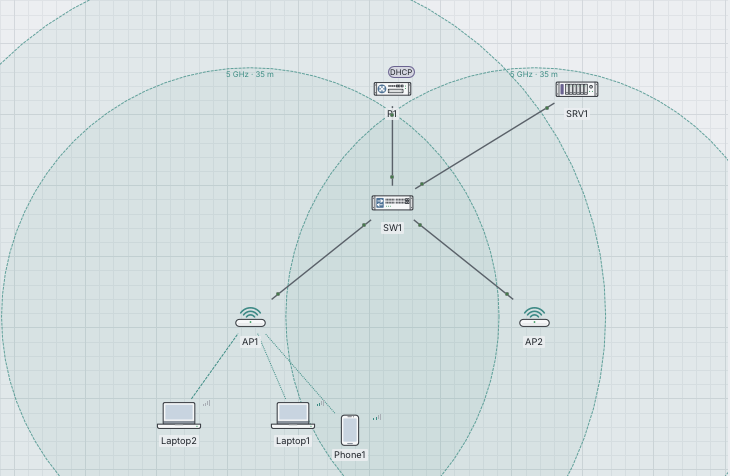
Access points and home routers offer networks on 2.4, 5 or 6 GHz, open or with WPA2, WPA3 and 802.1X. Laptops and phones join with a real four-way handshake; signal and rate follow the distance, and a station roams when you move it.
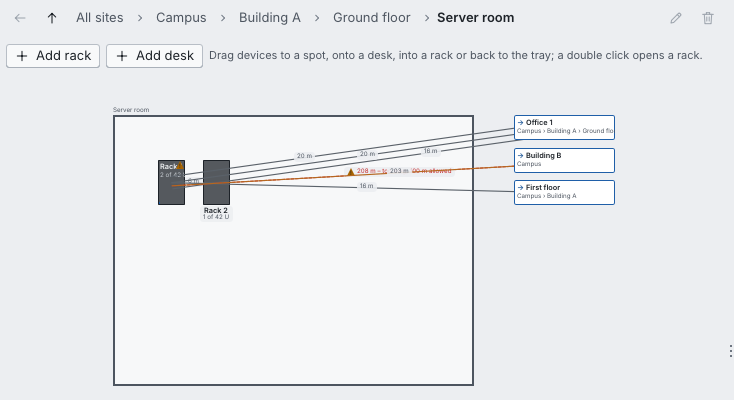
The physical view shows where things are: sites, buildings, floors, rooms and racks with the devices in their units. Every cable gets a length, and one longer than its medium allows does not come up.
A lab for distributed systems
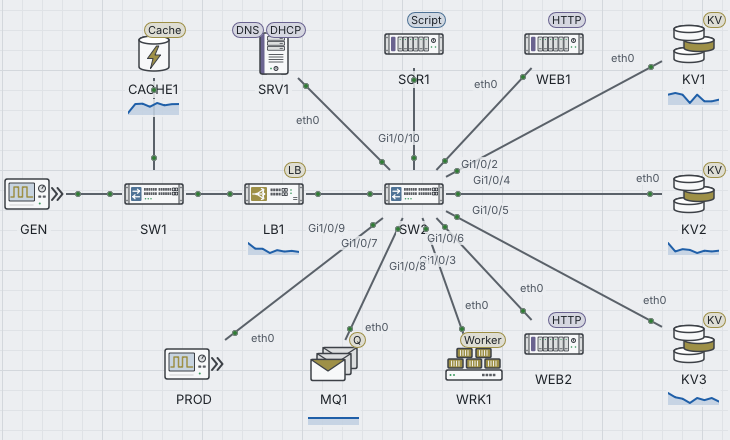
Beyond the network: load balancers, a sharded key-value store with replicas and quorums, caches, message queues with workers, a database with SQL-shaped statements, load generators and your own scripts. Every device can have CPU and RAM, so a bigger server can be compared with more servers.
- Faults on demand: a pulled cable, packet loss, a node without power, a stopped service, disk, CPU and memory faults
- Metrics with sparklines on the canvas and charts in their own panel
- Parameter sweeps and named runs side by side, with saturation curves and CSV export
Made for learning and for long sessions
- English and German, switched in the settings
- Full keyboard control and a list of all shortcuts on F1
- Devices and cables for screen readers
- Contrast checked in both themes, reduced motion respected
- Smooth with 500 devices, 800 cables and 300 moving frames
- Courses with lessons, labs and tests in the Academy