 JFNetworker
Build a network, set it up, follow every packet.
A network simulator and lab. Place routers, switches, servers and PCs, connect them and set up each one in an IOS-like console or a Linux shell. Real protocols run byte by byte, so you can follow every packet, step by step. An alternative to Packet Tracer, for learning, teaching and trying ideas out.
Download
In development- Windowscoming soon
- Linuxcoming soon
There is no release yet. Which packages there will be
Draw your network
Take devices from the palette, put them on the canvas and drag a cable from one to the next. JFNetworker picks fitting ports and the right cable, or you choose them yourself. An LED at every port shows at a glance what is up, and the network runs while you build it.
- Devices
- 49 vendor-neutral models
- Cables
- copper, fibre, serial, console, wireless and more
- Size
- smooth with 500 devices and 800 cables
- Access
- full keyboard control, screen reader support
- Languages
- English and German
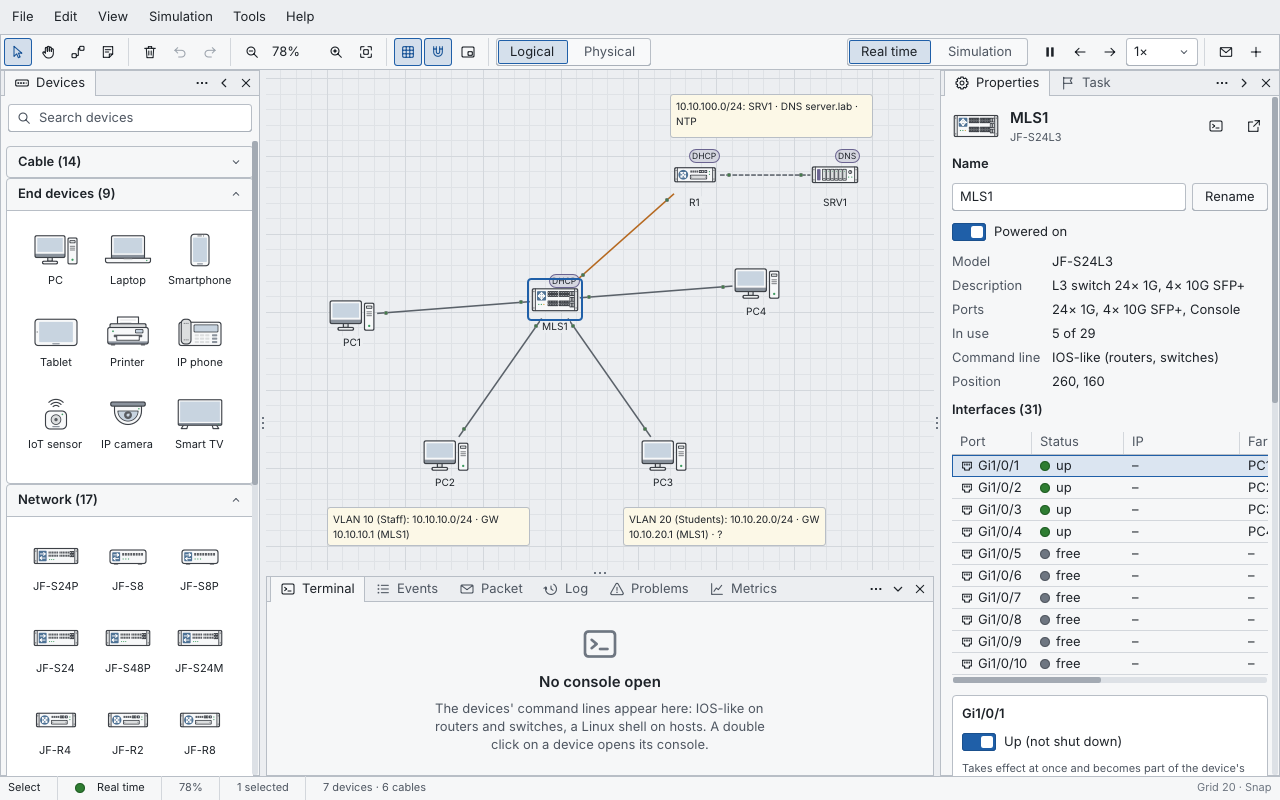
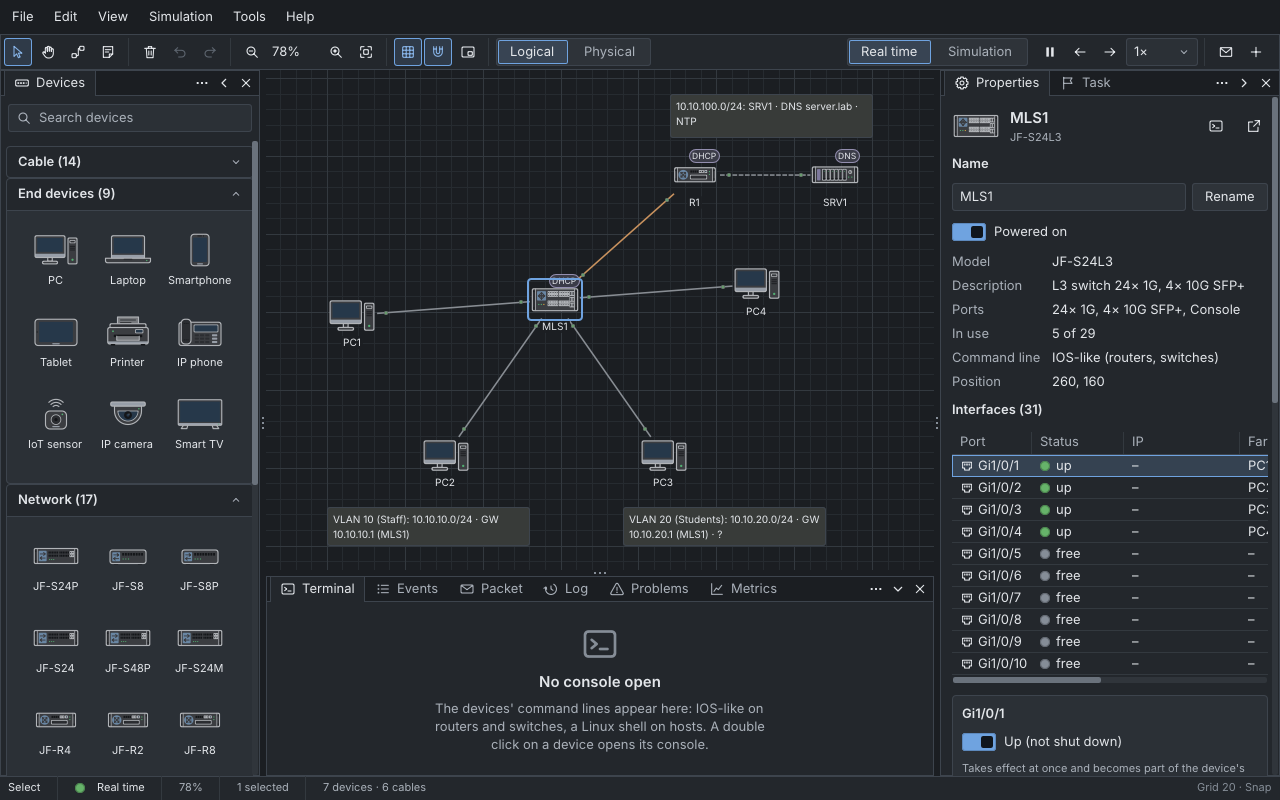
Set up every device in its console
Routers and switches answer in an IOS-like command line, with its modes, help on ? and completion on Tab. Hosts get a Linux shell with the classic tools, pipes and scripts. A double click on a device opens its console, as a tab, in its own window or in the device window.
R1>enable
R1#show ip interface brief
Interface              IP-Address      OK? Method Status                Protocol
GigabitEthernet0/0/0   unassigned      YES unset  administratively down down
GigabitEthernet0/0/1   10.10.100.1     YES NVRAM  up                    up
GigabitEthernet0/0/2   unassigned      YES unset  administratively down down
GigabitEthernet0/0/3   unassigned      YES unset  administratively down down
TenGigabitEthernet0/1/0 10.10.0.1       YES NVRAM  up                    up
TenGigabitEthernet0/1/1 unassigned      YES unset  administratively down down
Serial0/2/0            unassigned      YES unset  administratively down down
Serial0/2/1            unassigned      YES unset  administratively down down
R1#
root@PC1:~# dhclient -v eth0
DHCPREQUEST for 10.10.10.100 on eth0 to 10.10.0.1 port 67 (xid=0x941ca6e2)
DHCPACK of 10.10.10.100 from 10.10.0.1 (xid=0x941ca6e2)
bound to 10.10.10.100 -- renewal in 41830 seconds.
root@PC1:~# cat /etc/resolv.conf
domain lab
search lab
nameserver 10.10.100.10
root@PC1:~# traceroute server.lab
traceroute to server.lab (10.10.100.10), 30 hops max, 60 byte packets
 1  10.10.10.1 (10.10.10.1)  0.002 ms  0.002 ms  0.002 ms
 2  10.10.0.1 (10.10.0.1)  0.003 ms  0.003 ms  0.003 ms
 3  10.10.100.10 (10.10.100.10)  0.005 ms  0.005 ms  0.005 ms
root@PC1:~#
Follow every packet
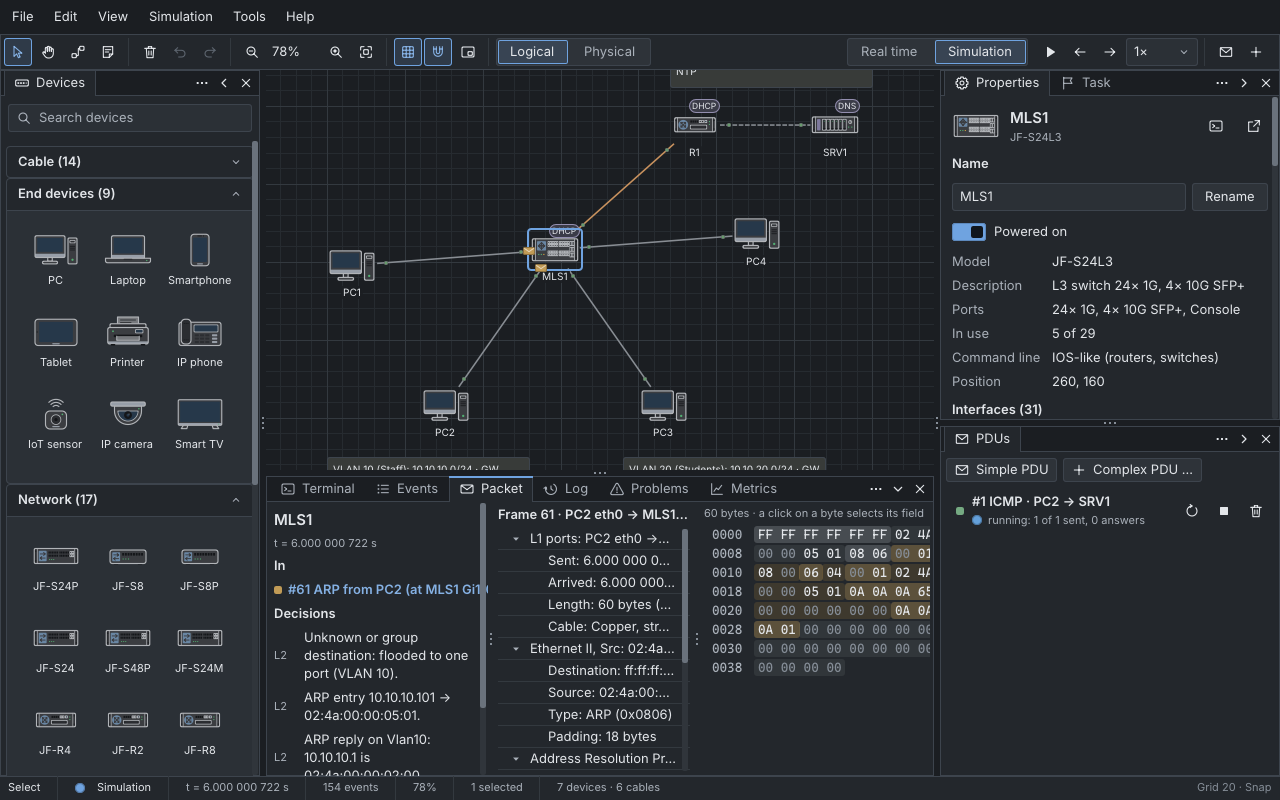
In simulation mode the network moves one step at a time. Packets travel as envelopes along the cables; you step forward and back, look into every layer, field and byte, and send packets of your own.
Go back in time and every device shows its state from that moment. A recording can be saved as a pcapng file.
Learn with the academy
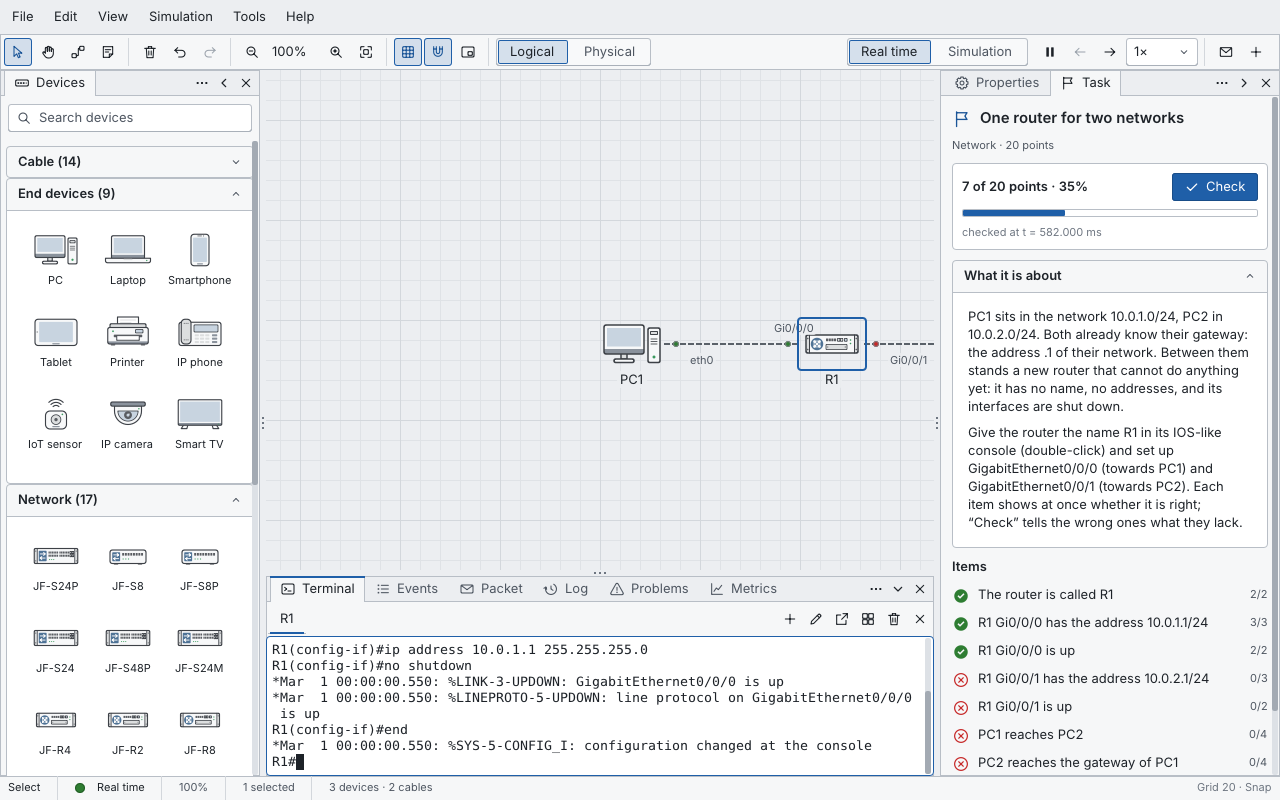
The academy brings courses: lessons to read, labs in the simulator, quizzes, tests and broken networks to repair. In a lab the goals form a checklist that the simulator keeps checking while you work, with hints and points. Courses come in English and German and install with one click.
- Network basics
- Fault finding in networks
A lab for distributed systems
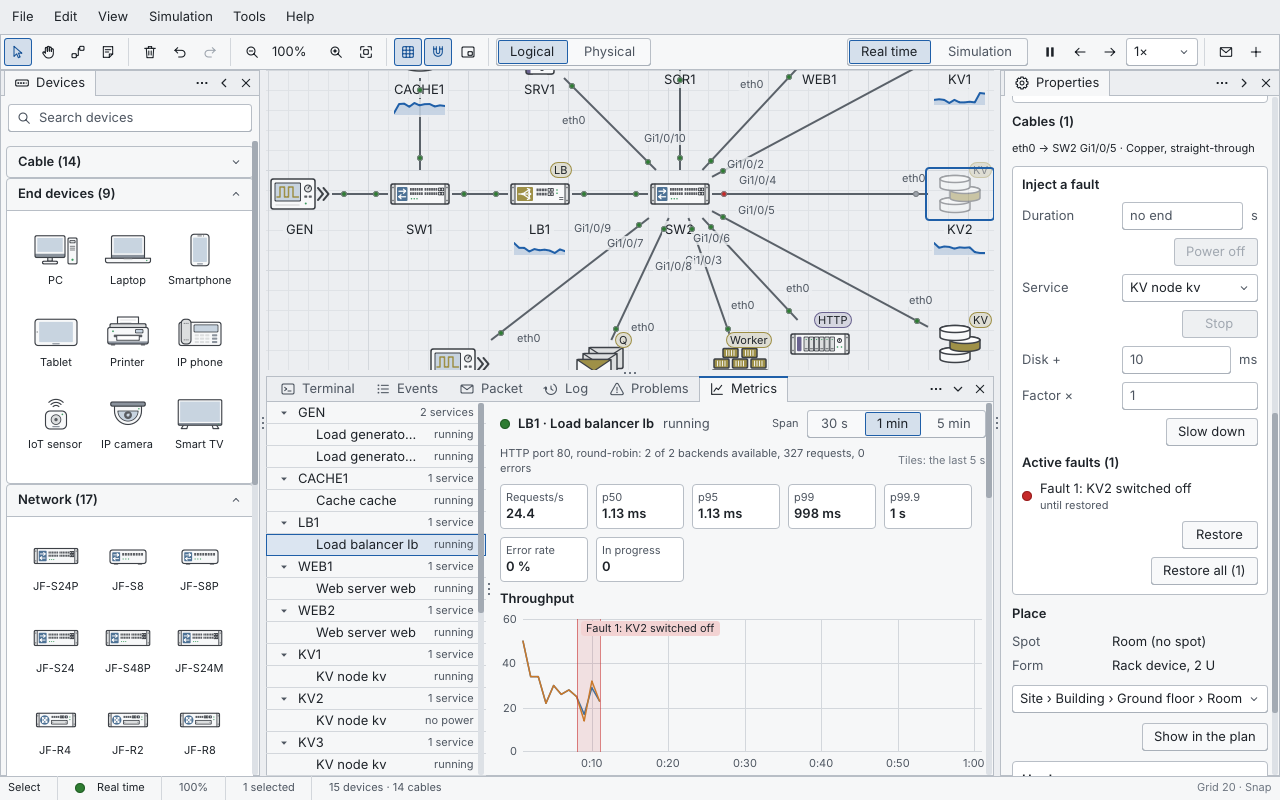
JFNetworker also builds systems that scale out: load balancers, sharded databases with replicas, caches, message queues with workers, and load generators to put them under pressure. Switch a node off, watch the metrics react and compare designs with parameter sweeps.
 Load balancer
 Database shard
 Cache
 Message queue
Routing and switching
VLANs and spanning tree, static routes, RIP, OSPF and BGP, NAT and access lists, on IPv4 and IPv6.
Services
DHCP and DNS, web servers with TLS 1.3, mail, SNMP, FTP and TFTP, RADIUS, SSH and Telnet.
Firewall
Firewall models with zones, policies and stateful sessions, on top of access lists and NAT.
Wireless
Access points with WPA2, WPA3 and 802.1X. Stations roam as you move them, with range and signal on the canvas.
Physical view
Sites, buildings, rooms and racks. Every cable gets a length, and one that is too long stays down.

A desktop in every host
Each host is a small PC with a terminal, file manager, web browser, mail and an IDE for scripts.
Built on JFLib
JFNetworker is made with JFLib, a GUI library written from scratch in Rust that draws every pixel itself. The same library is under every app on jfreund.org.